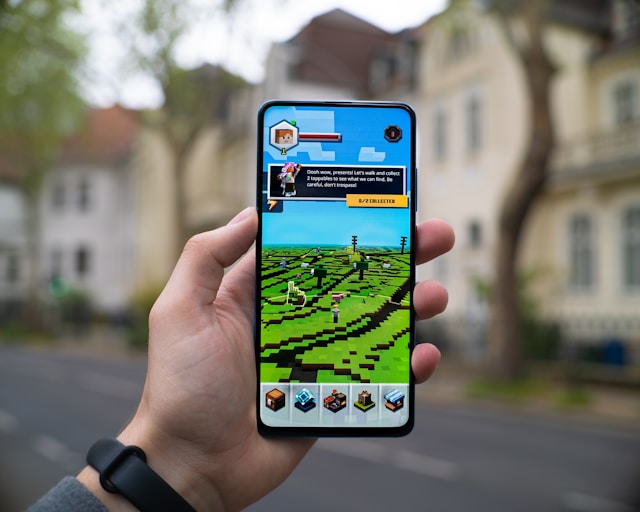
Tired of vanilla terrain? Map generators create custom Minecraft worlds with unique biomes, structures, and gameplay twists. Here are the best free ones in 2026.
Why Use a Map Generator?
Vanilla worlds are great, but custom maps add new biomes, dungeons, parkour challenges, and adventure storylines. They’re perfect for content creators, multiplayer servers, and players who want a fresh experience without mods.
Top 7 Map Generators of 2026
1. Chunkbase — The classic. Lets you preview any seed before loading it. Shows villages, strongholds, biomes, and slime chunks on a 2D map. Works for Java and Bedrock.
2. MCEdit Unified — Old but gold. Lets you edit existing worlds, paste schematics, and even generate huge terrain features.
3. WorldPainter — A drag-and-paint terrain editor. Sculpt mountains, paint biomes, and export as a Minecraft world. Great for adventure maps.
4. Amidst — Lightning-fast biome viewer. Tells you exactly where everything is before you start playing. Perfect for speedrunners.
5. Tectonicus — Renders your world as a beautiful Google-Maps-style web viewer. Great for showing off builds.
6. Open Terrain Generator (OTG) — A mod and standalone generator that creates wildly creative biomes — floating islands, alien landscapes, custom dimensions.
7. AI Seed Finders — New in 2026. Describe the world you want (“village near jungle with stronghold”) and AI finds the matching seed.
What to Look For in a Map Generator
- Compatible with your version (Java vs Bedrock)
- Active development (avoid abandoned tools)
- Easy export to .mca or .mcworld
- Free with no paywalled features
How to Install a Custom Map
- Download the map (usually .zip)
- Extract it
- Copy the folder into .minecraft/saves (Java) or import via Files app (Bedrock)
- Open Minecraft → Singleplayer → load the world
Best Map Generator for Each Use Case
- Survival exploring → Chunkbase
- Adventure map building → WorldPainter
- Speedrun seed hunting → Amidst
- Server world preview → Tectonicus
- Wild fantasy terrain → Open Terrain Generator
Tips for Custom Worlds
- Always back up your save folder first
- Match the generator version to your Minecraft version
- Test in creative mode before sharing
- Combine multiple tools (e.g. WorldPainter + Chunkbase)
FAQs
Are these map generators safe?
Yes, all listed tools are open source or from trusted developers. Avoid random .exe files from untrusted forums.
Do they work on Bedrock?
Chunkbase and Amidst support Bedrock seeds. Others are Java-only.
Can I sell custom maps?
Mojang allows it as long as you follow the Commercial Usage Guidelines.
Is Open Terrain Generator a mod?
It can run as a standalone or as a Forge/Fabric mod.